Your keyword ranks, your rivals and the words to win. Every morning, on your iPhone.
iPhone · iOS 18 and later · No account · Data Not Collected
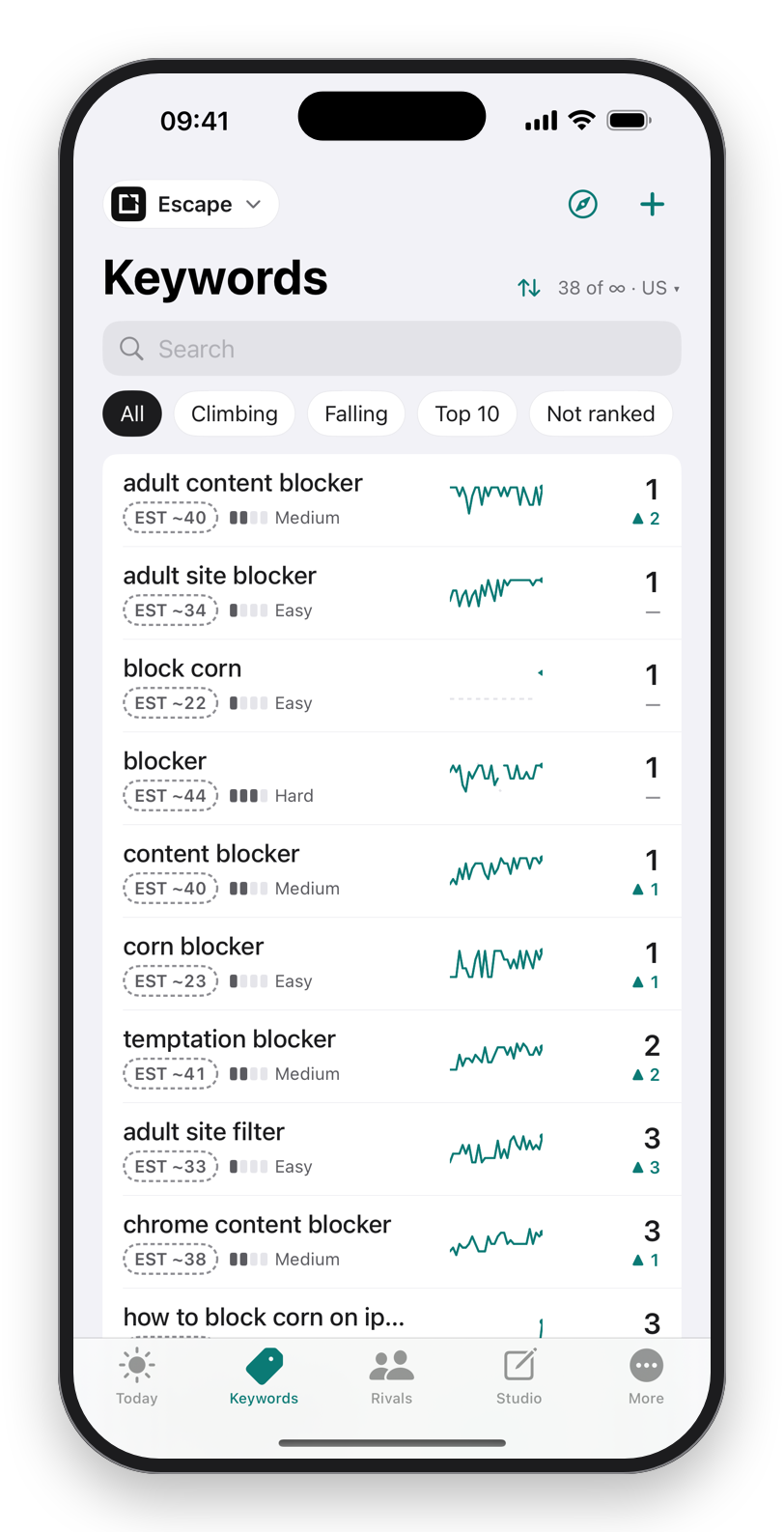
Paste your keywords. Each one is checked against Apple's own search results, to position 200, in every storefront you choose. What moved is on screen before coffee.
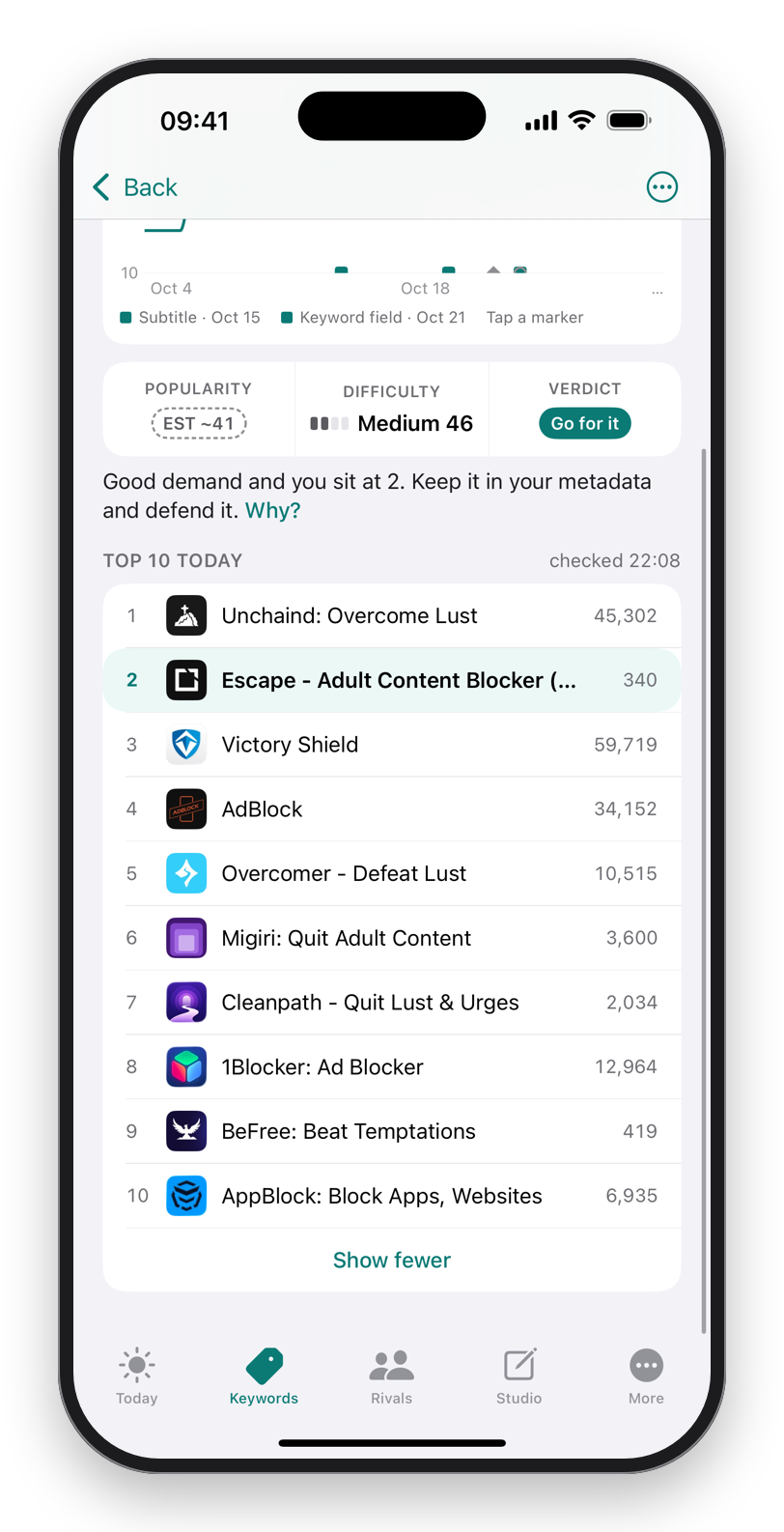
The top 10 on every term, their ratings, and whether the term is worth the fight: popularity, difficulty and a one-word verdict. Tap any score to see the facts behind it.
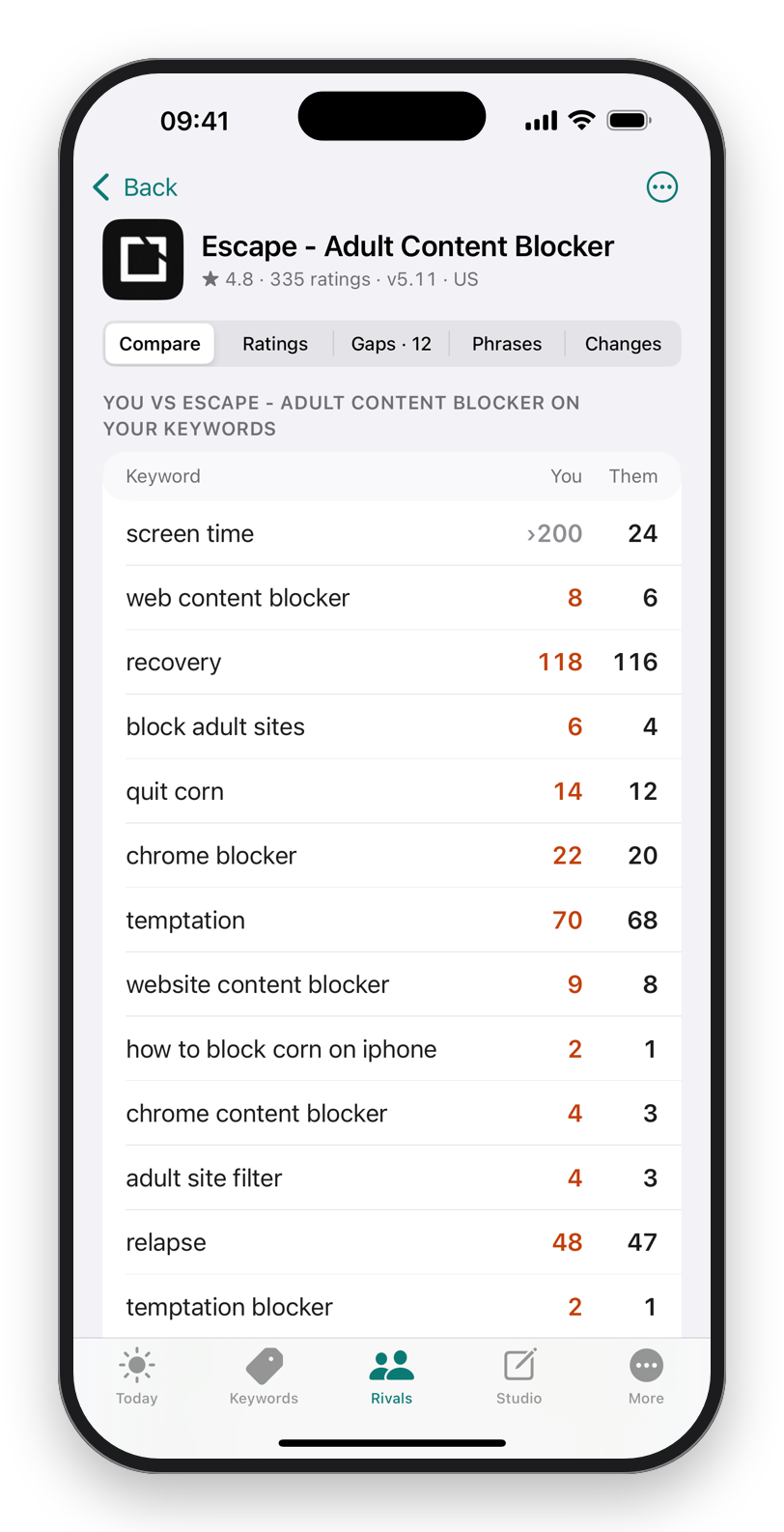
Add a competitor and every daily check reads their rank from the same result as yours. Gaps list the terms they rank for and you don't. If they vanish from the store, you hear first.
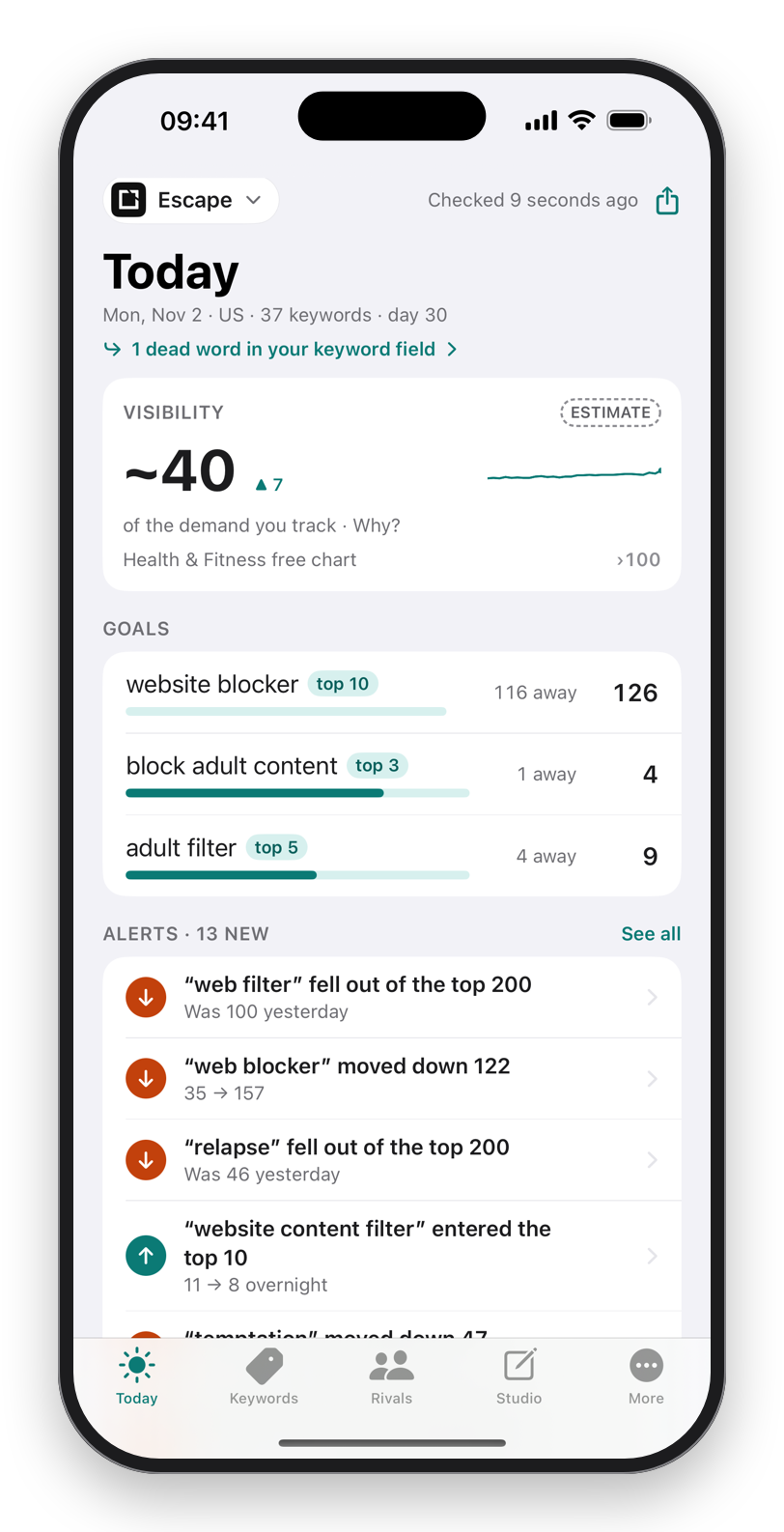
One number for how much of your tracked demand you hold, goals on the keywords you're climbing, and alerts only on days something moved.
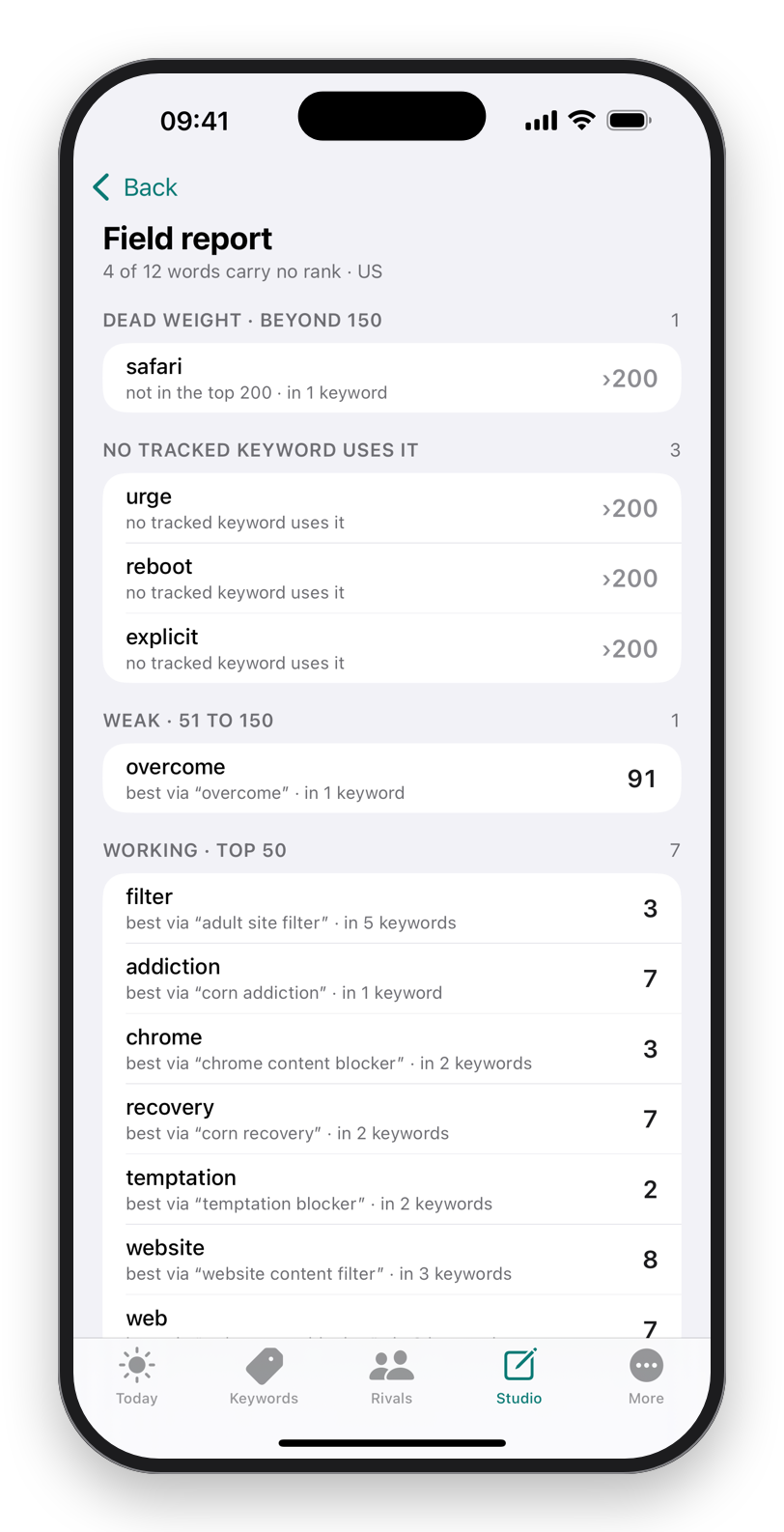
Studio reads your name, subtitle and keyword field and shows which words earn a rank and which carry nothing. Rules check the limits as you type; the optimizer writes the field from your own terms.
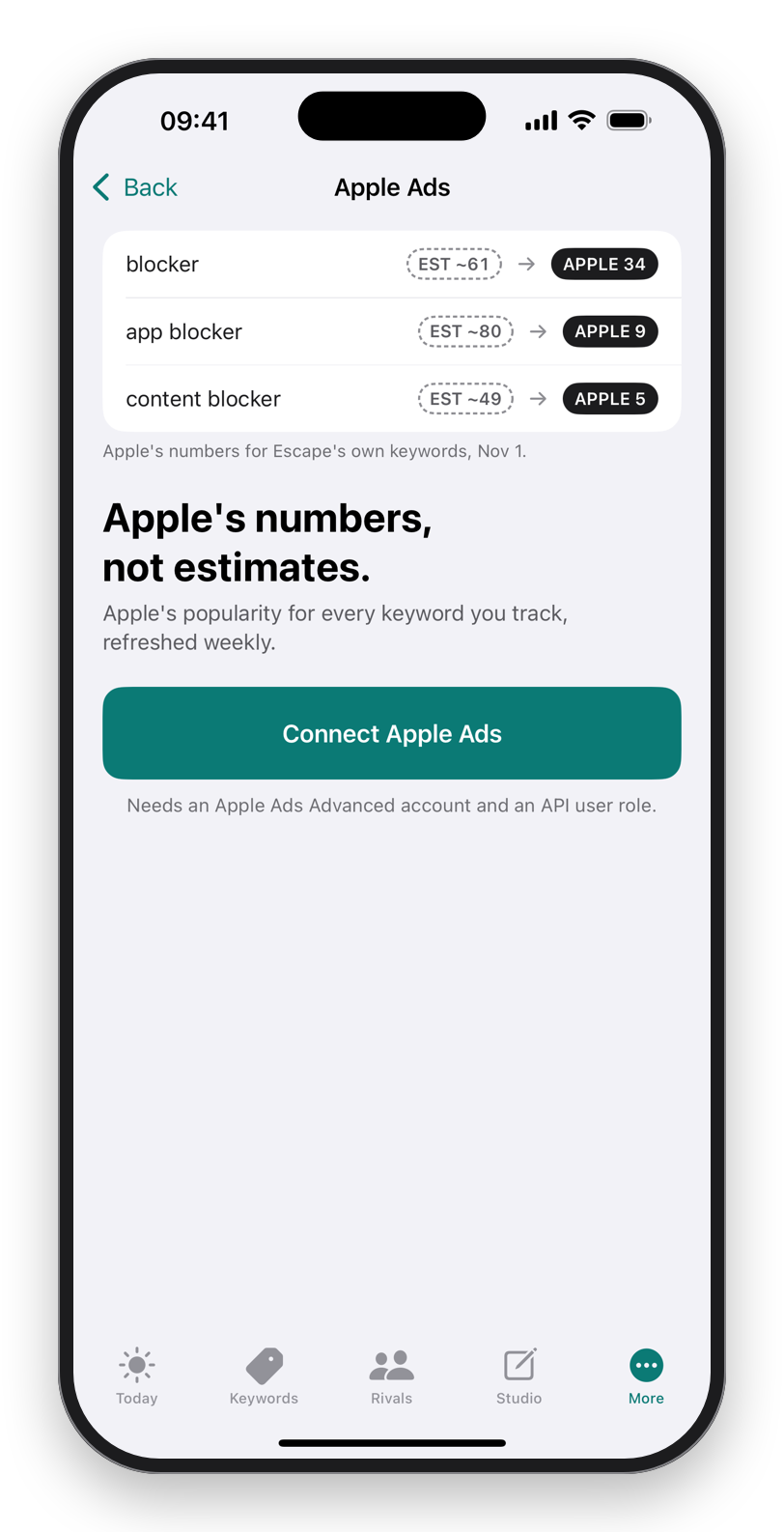
Connect your Apple Ads account with your own API key and every popularity badge switches from RankASO's estimate to Apple's figure. Optional, and the key never leaves your phone.
Two badges, never mixed. A dashed estimate is RankASO's; a solid number is Apple's. Every score explains itself.
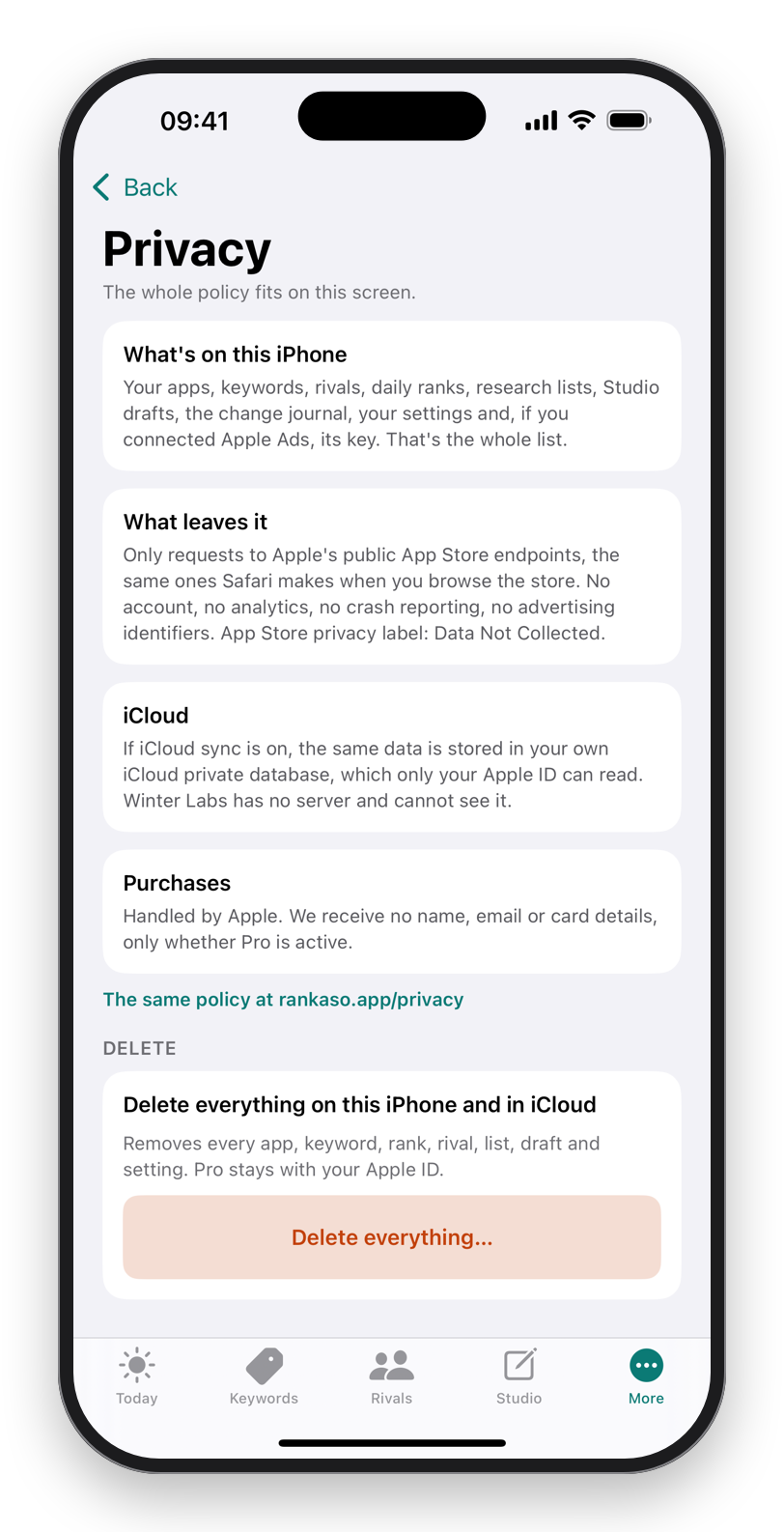
Nothing leaves your iPhone except requests to Apple's public App Store, the same ones Safari makes. Your history syncs through your own iCloud. App Store privacy label: Data Not Collected.
The paywall appears only when you hit a real limit. Never on launch, never on a timer.
About $8.33 a month · Family Sharing
About $13.33 a month
Cancel anytime
Every future update · Family Sharing
Prices in US dollars; Apple sets each country's. No free trial. Apple allows about 20 searches a minute per phone, so Pro tracks 250 keywords per app and 400 checks a day.
No. There is no sign-up, no email and no server. The app works the moment it opens, and Pro is tied to your Apple ID through the App Store.
From Apple's public App Store search, the same results you see on an iPhone. RankASO runs each search once a day per storefront, reads your position to 200, and reads every rival's position from the same result.
Apple allows about 20 searches a minute from one phone. That is 400 keyword-storefront checks a day at a safe pace, about 22 minutes of checking. The limit is Apple's, not a tier.
It replaces RankASO's popularity estimate with Apple's own number for every keyword you track. You create an API key in your Apple Ads account; the key stays in your iPhone's Keychain and the phone talks to Apple directly. It is optional and Pro.
Nothing. No analytics, no crash reporter, no advertising identifiers. The App Store privacy label is Data Not Collected. If you turn iCloud sync on, your history lives in your own iCloud database, which only your Apple ID can read.
Through Apple. Cancel in Settings → Apple ID → Subscriptions; request a refund at reportaproblem.apple.com. Restore purchases from More → Restore purchases on a new phone.
Any iPhone on iOS 18 or later. The on-device writing features use Apple Intelligence on iOS 26 and are hidden on phones without it; everything else works everywhere.
 RankASO